Guide 10
Downloads & sharing results
Choose the right document for review, spreadsheets, maps or a reusable scenario.
What should I download?
Use the report for a readable engineering review, and the data exports when a colleague needs to check or reuse the evidence. Each format has a different purpose; one download does not replace all the others.
Interface walkthrough
From evidence to a document
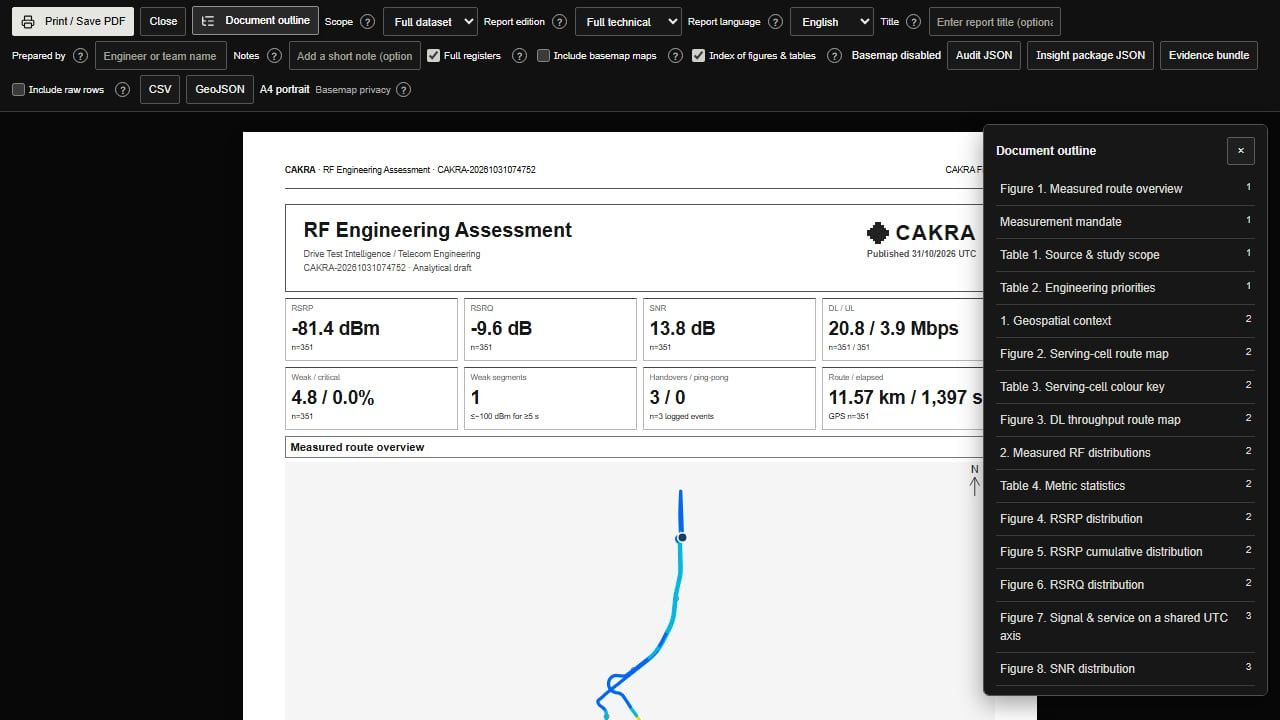
Wait until the report is ready, choose Print / Save PDF, then inspect the saved document. This example uses a schematic map.
| Download | Contains | Useful for |
|---|---|---|
| PDF report | Selected findings, charts, maps, contents and technical tables. | A meeting, review, approval discussion or a portable document. |
| Audit JSON | Report context, scope, metrics, findings, events and optional completed VDT evidence. It is not the full raw log. | Tracing how a report was prepared and checking its assumptions. |
| Measurement CSV | Rows and measurement fields in the selected scope. | Spreadsheet checks, filtering and comparison with the source. |
| Measured GeoJSON | Valid GPS points with measurement properties; longitude comes first. | Opening the measured trace in a compatible GIS tool. |
| VDT scenario JSON | Editable sites, settings, thresholds and scenario information. | Continuing a scenario later or exchanging its settings. |
| Formula Excel | Link-budget inputs, formulas, results and warnings. | Independent DL/UL planning and editable calculation review. |
Match the scope before sharing
Overview CSV uses the current filtered rows. The report toolbar lets you choose Full dataset or Active filters; its JSON/CSV/GeoJSON exports follow the report scope. Check the sample count and selected filters before giving the files to another engineer.
Keep the original log, matching events and exported files together. A GeoJSON cannot reconstruct missing GPS, and a PDF cannot recreate every input row. Remove confidential location and account details before sharing outside your authorized team.
Keep a reusable VDT package
Use VDT Export to download a scenario before ending a temporary session. Save stores a scenario through the signed-in workflow; it is separate from Run. Keep the original RNO package and its environment attachments as well: scenario JSON alone does not include every terrain or building attachment.