Guide 13
4G / 5G link budget & Excel
Build independent DL/UL estimates with editable spreadsheet formulas.
Configure the radio and receiver
Open the Link Budget & dimensioning panel within VDT. Choose 4G LTE or 5G NR FR1, supported bandwidth and NR numerology. This calculator does not run VDT or overwrite its scenario.
Import radio copies only a subset from the selected sector. Verify uplink frequency, UE power class, SINR requirement, overhead, spectral efficiency, layers and duplex manually. Import does not infer a correct FDD uplink pair.
Interface walkthrough
Check both link directions
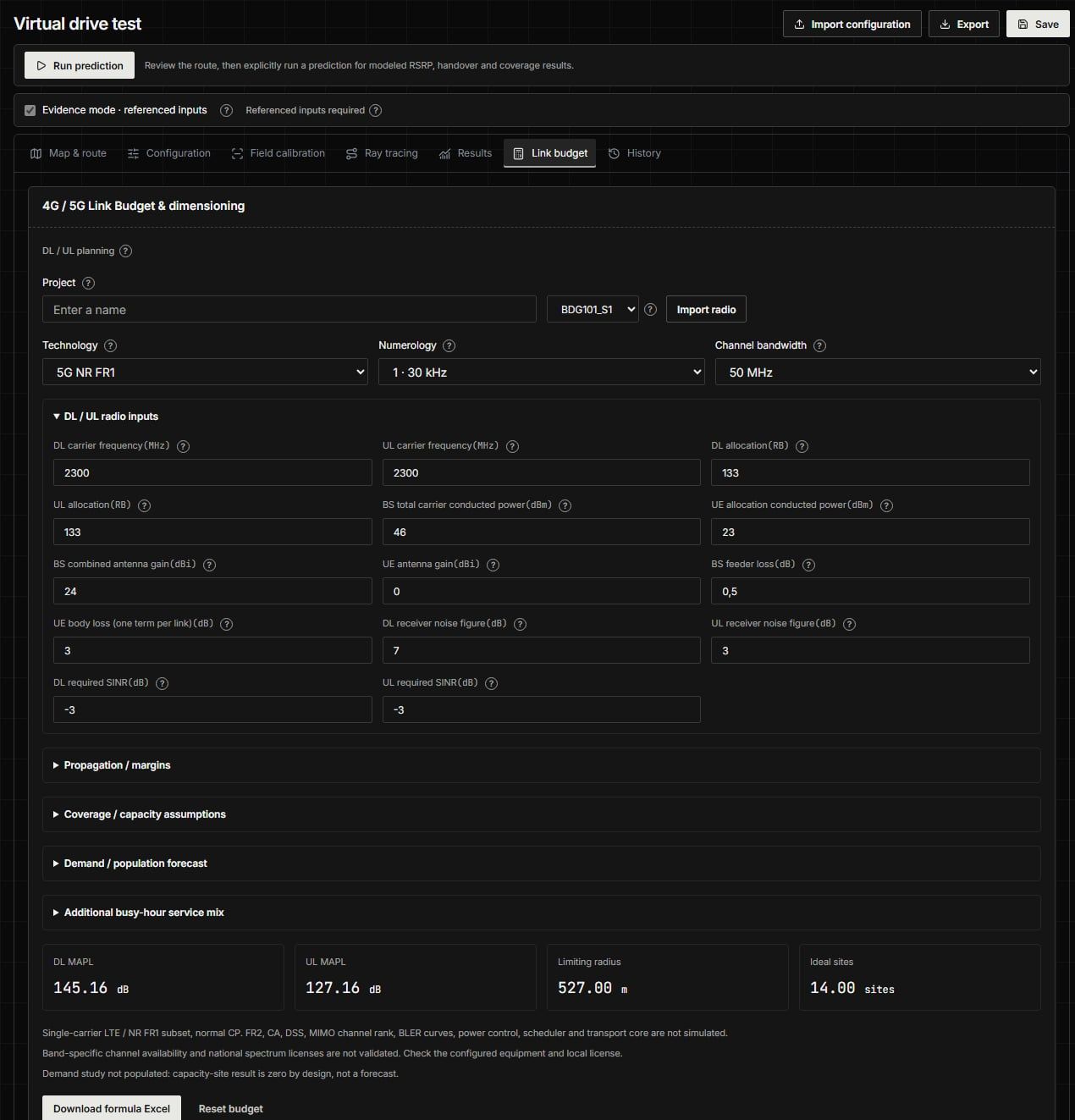
Choose technology, numerology and bandwidth. Import radio copies only a subset from a sector; verify remaining DL/UL assumptions.
Audit the assumptions
Review radio inputs, propagation/margins, coverage/capacity assumptions and demand/population forecast. Select UMa, UMi or Free-space deliberately and read model-domain warnings. Use appropriate antenna and receiver heights.
DL and UL MAPL are separate. Allocated RBs affect thermal noise; planning/implementation/interference and penetration margins are explicit. Ideal radius/site count and capacity are planning estimates, not a licensed spectrum allocation or field-coverage promise.
Population, adoption, growth and service mix are user assumptions. Enter a verified source/date rather than treating default values as regional census data. Reliability/shadow settings are model assumptions, not proven prediction accuracy.
Download and recalculate
Choose Download formula Excel. Open the .xlsx in a spreadsheet application that supports its formulas and recalculate after editing inputs. Review the Inputs, formula/detail, results, warnings and source-edition information in the workbook.
Compare the exported result with the in-app estimate before using a modified workbook. Keep unit conventions intact and do not replace formula cells with hard-coded results. The technical basis is a bounded implementation, not blanket 3GPP/IEEE compliance.